


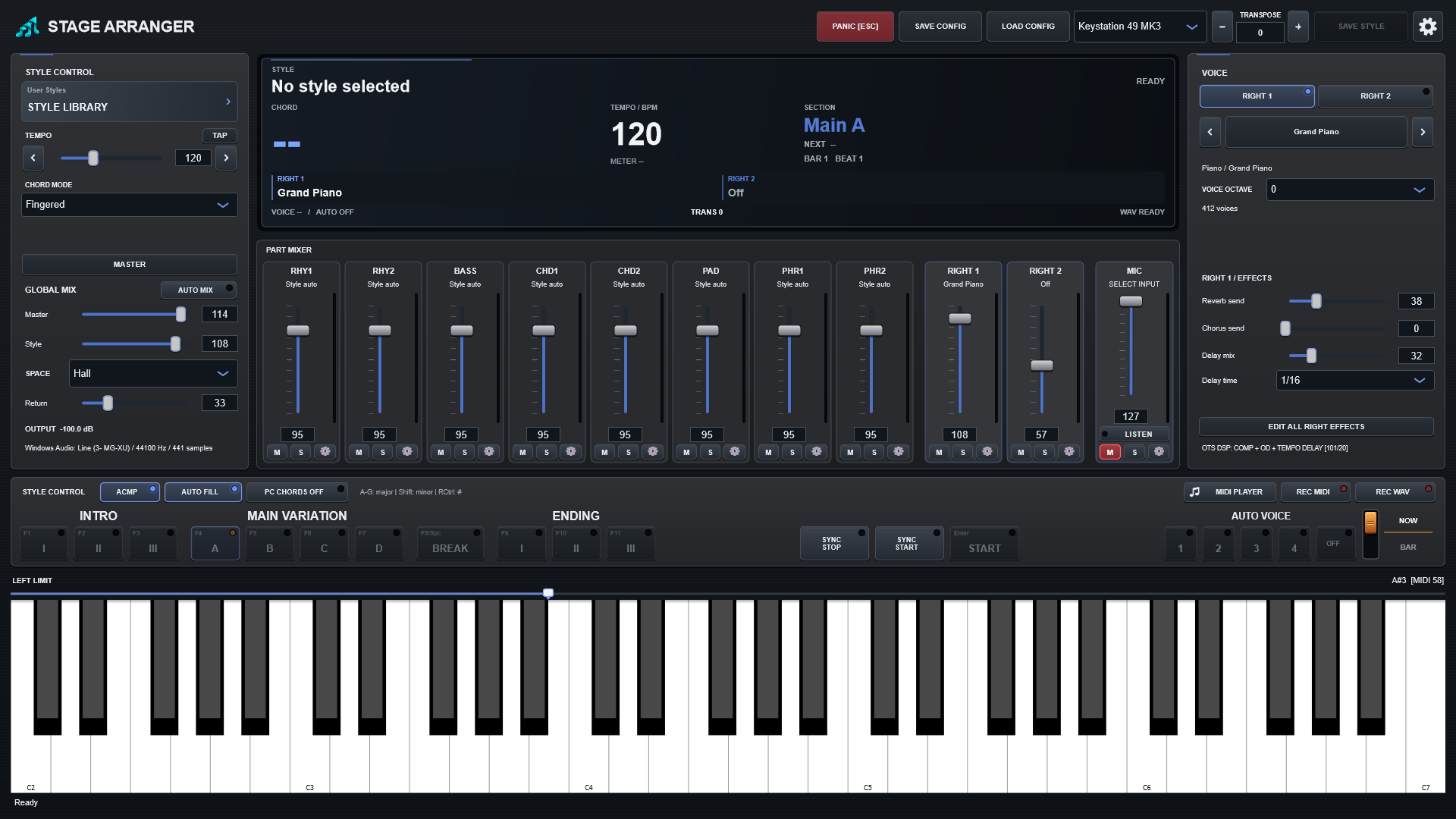
Save workflow
- Load a style and select an existing Auto Voice slot.
- Edit RIGHT1/RIGHT2, their voice octaves, levels, sends and supported DSP.
- Edit other slots; returning to an edited slot keeps its changes within this style session.
- Press SAVE STYLE. A free name such as V2, then V3, is suggested.
- Choose a new file, or select an existing file and confirm replacement.
- After success, the saved style becomes current and is reloaded. Playback stops; save between performances.
Written to existing OTS slots
| Control / setting | What it does |
|---|---|
| Voices and layers | Bank MSB/LSB, program selection and enabled state of RIGHT1/RIGHT2. |
| Voice octave | Native OTS octave/coarse tuning of each RIGHT part; not the UPPER OCTAVE performance offset. |
| Level and sends | Volume CC7, pan CC10, Reverb CC91, Chorus CC93 and Variation CC94. |
| Insertion DSP | Supported type and changed parameters, including wet/dry, tempo delay, feedback, drive and compression where the selected algorithm supports them. |
Preserved source data
Original accompaniment, arranger rules and unedited data remain. RIGHT3/LEFT data is retained but does not become playable. Saving writes a temporary file, reads it back and verifies it before replacing the destination.
What SAVE STYLE does not write in 1.0.0
Accompaniment mixer levels, replacement voices, part octave shifts, tempo edits, local EQ/filters, shared ambience, Auto Mix and Master processing belong in SAVE CONFIG. This is currently an OTS editing workflow, not a complete accompaniment-mixer rewrite.
Compatible .sty, .prs, .sst and .bcs sources retain their native style structure. Keep the original when moving between software and hardware, because voice mapping and DSP rendering can differ.
Add your own SF2 sounds
Expand your instrument with SoundFont SF2 files. Choose your own flutes, choirs, guitars and other sounds for the right hand or individual accompaniment parts directly in the application.
Favourite sounds and styles within reach
Keep bank sounds and SF2 presets together in Favourites, mark favourite styles and quickly find what you need for a performance. Browse categories and choose instruments in a clear visual browser.