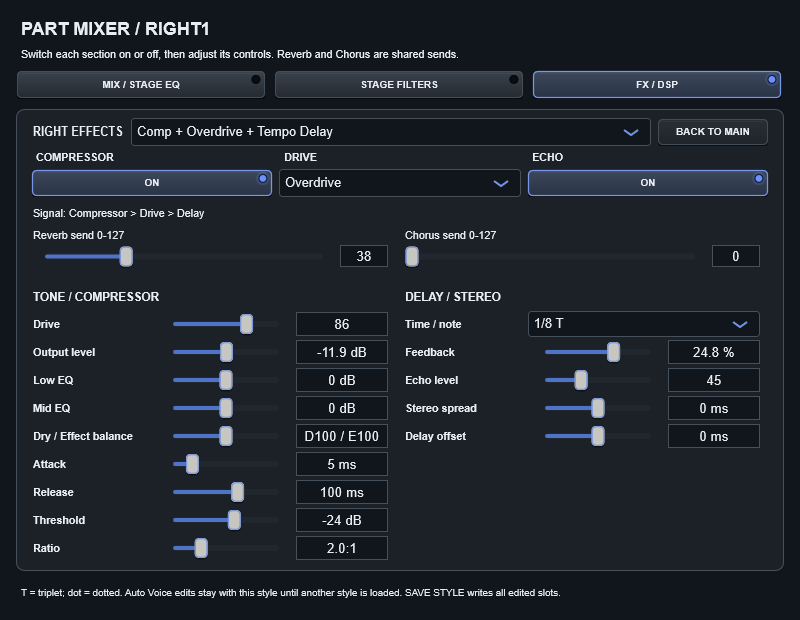


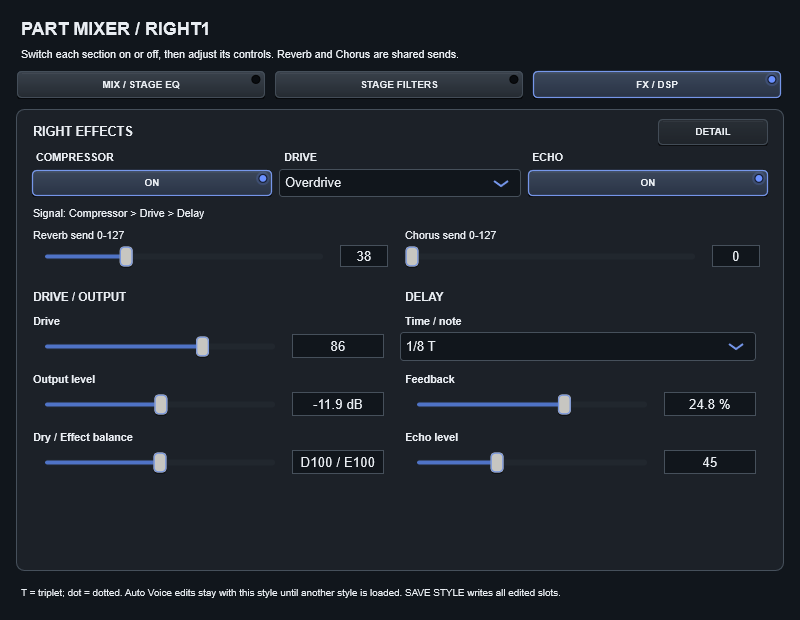
Shared ambience and insertion DSP
Reverb send sets how much of a part reaches the shared environment. SPACE and Return in GLOBAL MIX define that environment and its output. Reducing Return affects all parts sent there. Chorus send controls a separate path.
An insertion DSP processes the selected part. Supported types and parameters are read from the style and rendered by the internal engine. Reading Yamaha/XG data does not mean every hardware algorithm is implemented or reproduced identically.
Edit the right-hand sound
- Select RIGHT1 or RIGHT2.
- Adjust Reverb or Chorus send on the right panel.
- Open EDIT ALL RIGHT EFFECTS.
- Choose a supported effect or combination, then adjust its available controls.
Combinations can include multiple effects, such as drive and tempo delay. The editor represents supported DSP combinations, not an unlimited pedalboard with arbitrary effect order. Incompatible combinations are rejected rather than silently stored as a different effect.
| Control / setting | What it does |
|---|---|
| Delay time | A tempo-related division. At 120 BPM, 1/8 = 250 ms; at 60 BPM it is 500 ms. T means triplet; a dot means dotted. This is delay-repeat timing, not reverb duration. |
| Delay mix | Blend/level of delay within the block. Zero removes the echo from that combination. |
| Feedback | The amount returned into the delay; increasing it produces more repeats. |
| Drive / tone / output | Distortion or overdrive intensity, colour and output level. Match output levels when comparing. |
| Dry / Wet | Blend of untreated and processed signal for the block, not the final Master level. |
| Compressor controls | Shown for combinations containing compression. Separate from the Master compressor. |
Missing controls and unsupported effects
Controls follow the selected algorithm. “No tempo delay” means the current block has no exposed tempo-delay setting. Unsupported source DSP data can be preserved without an audible internal implementation; the editor identifies this limitation.
Zero means zero
An explicit Reverb send of zero stays zero when OTS is saved and reloaded. A default send of 20% of the range is used only when usable source data is absent.
Save the result
SAVE STYLE writes supported type and parameter edits in an existing Auto Voice slot. SAVE CONFIG also keeps local processing and the broader setup. Master EQ, global ambience and local Stage filters are not OTS insertion parameters.