


The MIDI Player is designed for a simple performance workflow: record the accompaniment first, then play or sing another live part over the recorded MIDI later.
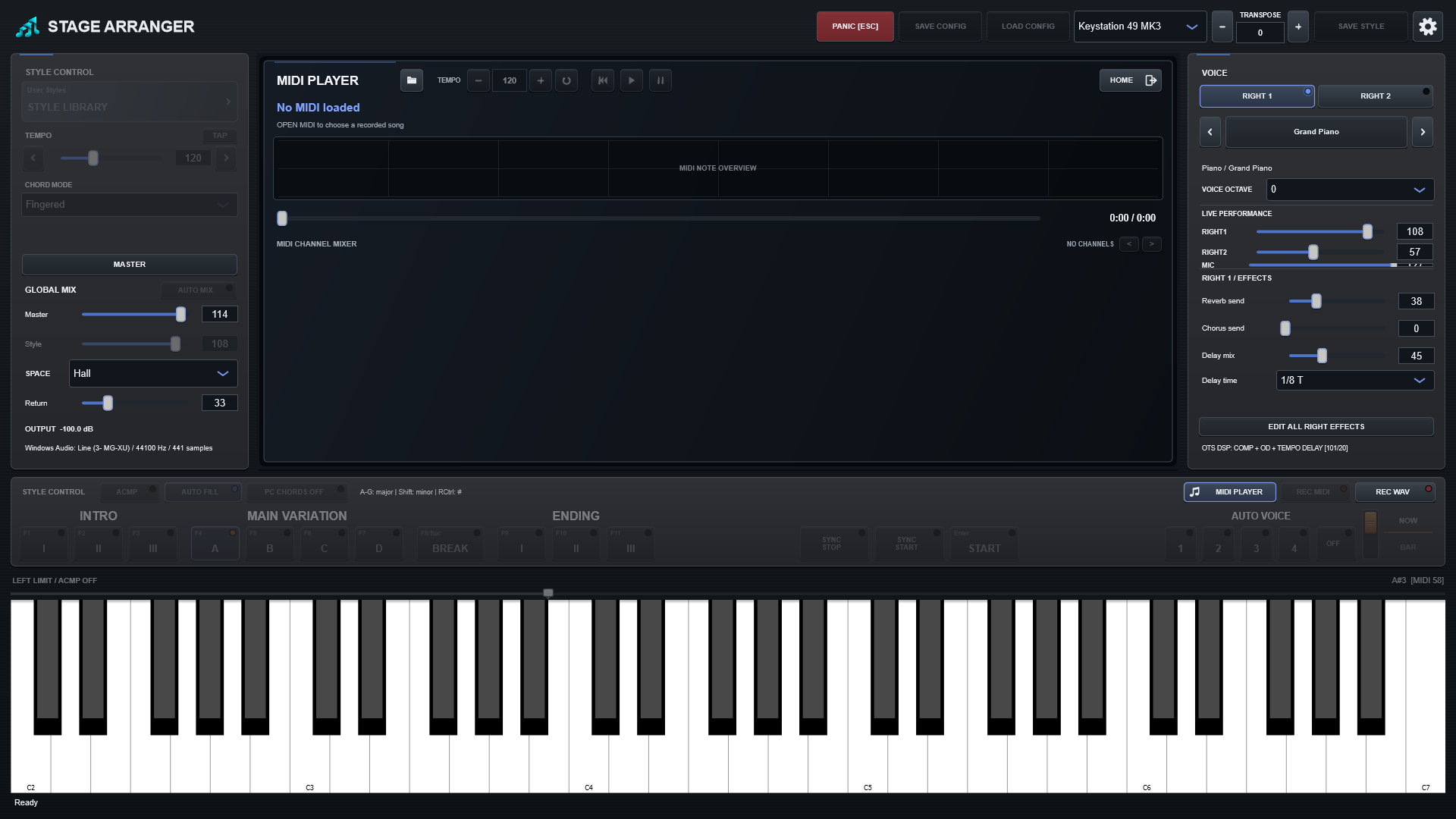
Open and play a MIDI file
Press MIDI PLAYER, choose OPEN MIDI... if needed, then use Play/Pause, Stop, the return-to-start control and the seek bar. The overview above the timeline shows the distribution of notes across the song.
Stage Arranger MIDI files
Stage Arranger records program and bank information with the performance so the Player can recall the recorded sounds instead of depending on whichever Style or RIGHT voice happens to be selected later.
Performance mode
While a MIDI song is playing or paused, arranger controls are disabled so a second accompaniment cannot be layered accidentally. The keyboard becomes available for live RIGHT performance across its full range.
HOME during playback
HOME closes the MIDI Player display but does not stop the song. The MIDI PLAYER button continues to show the playback state, and the arranger remains locked until playback is stopped.
Record a new performance on top
REC MIDI is disabled during MIDI playback, but REC WAV remains available. You can play a new RIGHT voice, sing through the microphone and record the complete result as one stereo WAV.
Open MIDI PLAYER and click the folder icon to choose a MIDI file. Once loaded, use the play and pause buttons.